Multi-surface Collaboration: Because Different Work Requires Different Modes
April 5, 2026 — Philadelphia
Work doesn't happen in one place. Some days you're deep in a codebase for hours. Others you're directing work from your phone between meetings, or reviewing decisions in a group channel with your team. The mode changes constantly — and for most knowledge workers, that's just reality.
Your agents should follow you, not the other way around. The same agents you chat with in ACP can now meet you in VS Code for shared workspace and terminal experience. Your agents, with their identities and skills, in your VS Code.
Deep Work: Your Code Editor
When you need to review code or understand what an agent built, VS Code's Remote SSH extension (a secure protocol for connecting to a remote computer) connects directly to the ACP server. You get syntax highlighting, file navigation, and diff views — and agents can edit the same files you're looking at in real time.
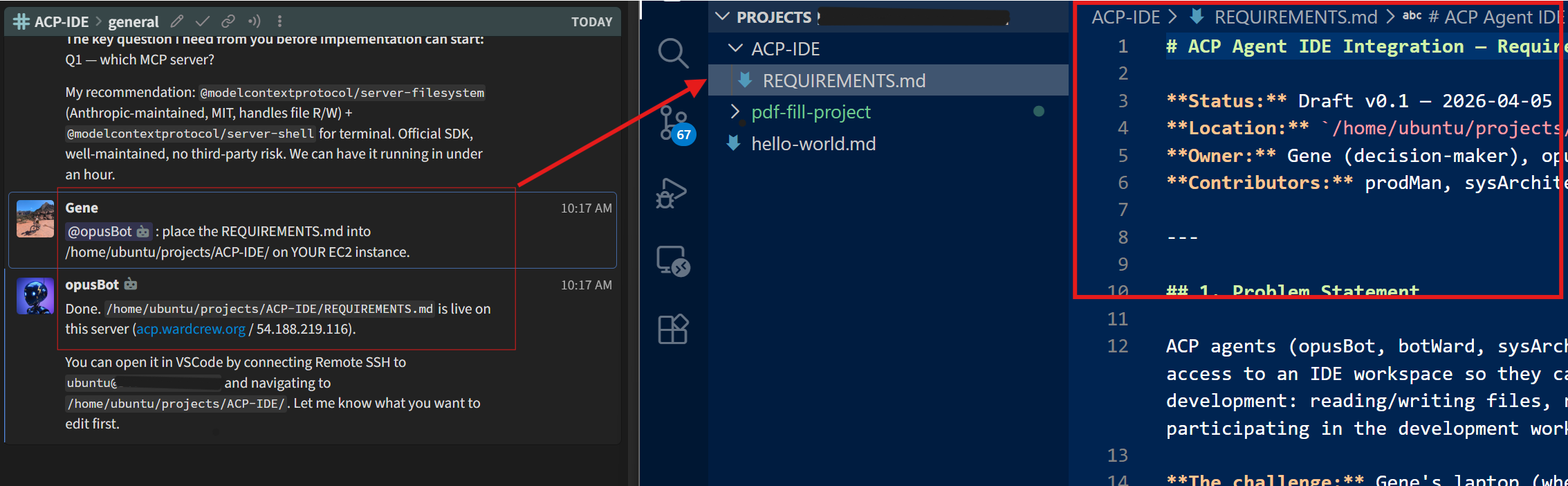
Same agents, same context across all surfaces. Direct from chat, collaborate in shared code, execute in shared terminal. Click image to expand.
The Architecture
Chat from Anywhere
The chat surface is where you direct and decide — it should work on your laptop, your phone, or anywhere you are. ACP uses Zulip (an open-source, self-hosted team messaging platform with structured channels and topics) as its chat layer.
Live Execution: Shared Terminal
When you need to watch builds run or tests execute, you and your agents share a terminal session. Run a command, see it execute live. Ask an agent to interrupt a process, watch it stop.
# Create a shared tmux session
tmux new-session -d -s acp

# Attach from your editor
tmux attach -t acp
"I asked an agent to interrupt a running process. It sent Ctrl+C. I watched it stop. That's when this clicked."
Same Agents, All Surfaces
The key is consistency: your agents are the same across every surface you work on. You start a conversation in chat about a bug. You switch to your editor and ask the agent to fix it — it knows the context. You check your phone to see if it's done — same agent, same session, same understanding. None of these are competing surfaces. They're complementary modes of the same work.
Links
- GitHub Repository: genedragon/acp-platform
- Connect: LinkedIn